An office potluck sign-up sheet that coworkers actually fill in
A work potluck sign-up sheet gets filled in when it is one link that opens on a phone, lists specific items with a quantity, and asks coworkers for nothing but a name. Post the link in email, Slack or Teams, and keep the sheet open until the day.
This guide is for the person at work who was just asked to organize it. It covers what to put on the sheet, how to share it, allergies, shifts and remote teammates, and why a paper sheet or a spreadsheet usually fails.
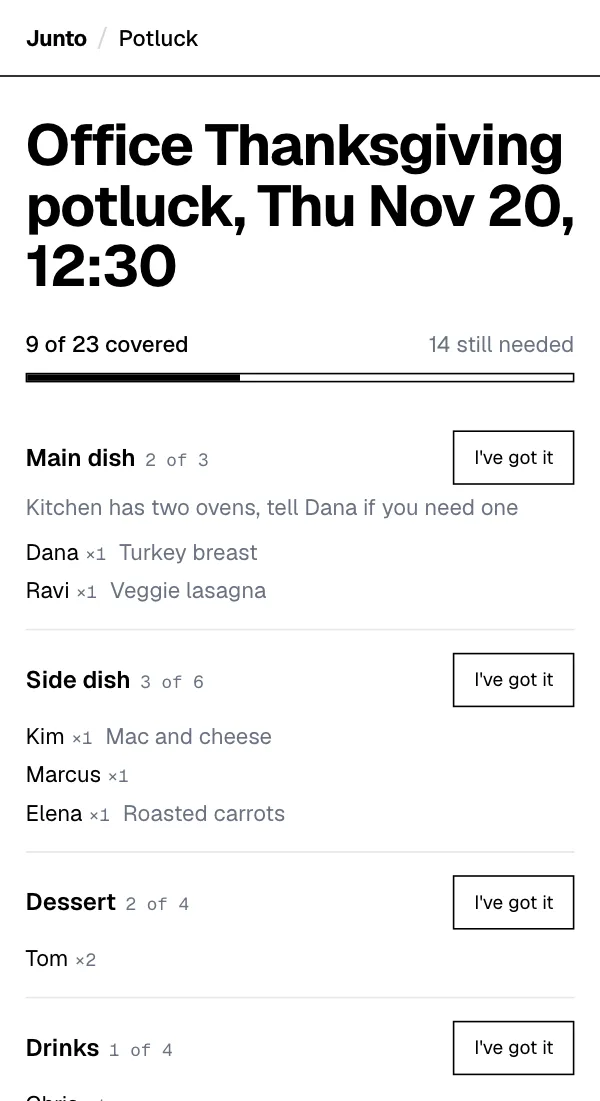
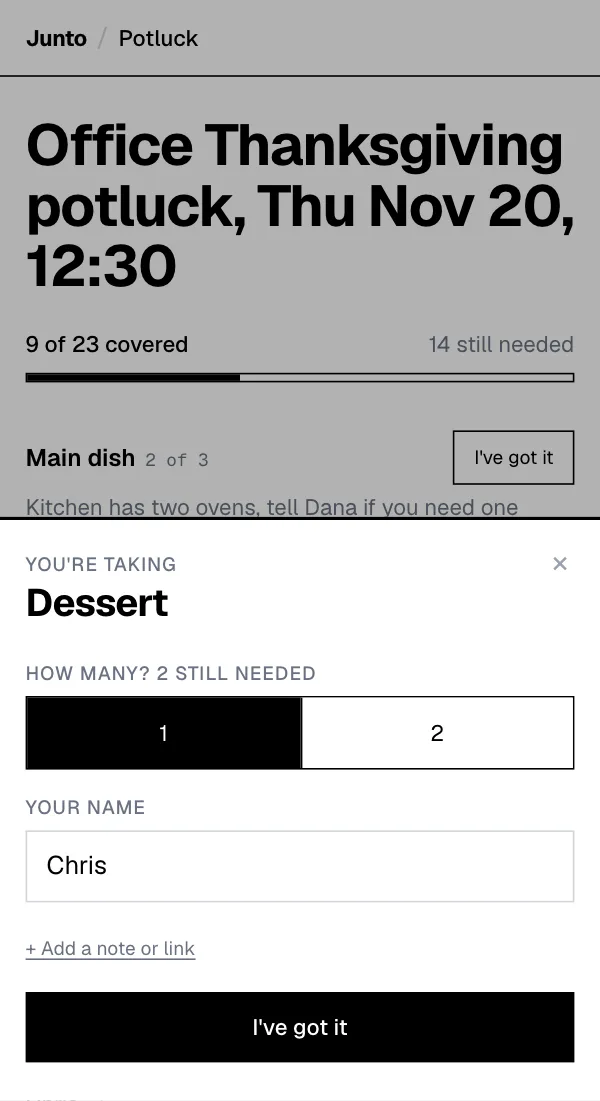
One link for email, Slack or Teams. Coworkers tap an item and type a name. Free, with no account, no app and no ads.
What do you put on an office potluck sign-up sheet?
Put items on the sheet, not blank lines. A line that says "main dish" with a quantity of 2 tells a coworker exactly how much is needed. A blank line with a name next to it tells them nothing, and the sheet ends up with five desserts.
Write each item the way you would say it to a coworker in the hallway: "Salad, 3", "Cold drinks, 4", "Plates and napkins, 1". Then add the items people forget, because those are the ones that rescue the day.
- Mains and sides: one line per kind of dish, each with a quantity.
- Desserts and snacks: with a quantity, so you do not get one pie and four bags of cookies.
- Drinks and ice: coffee, juice, sparkling water, a cooler of ice.
- Plates, cups, forks and napkins: one line each. These are the easiest slots to fill with a grocery run.
- Serving spoons and tongs: every dish needs one, and they go missing first.
- Set-up: moving tables, covering them, putting out the dishes.
- Clean-up: trash, wiping tables, collecting dishes people forget.
How many items does an office potluck sheet need for 10, 20 or 40 people?
There is no sourced rule for how many dishes a work lunch needs, so treat this as a starting list, not a fact. The idea is to add more of each kind as the team grows, not more kinds.
Adjust it for your team. If half the office will skip it, size down. If the lunch is the only food people get that day, size up. For serving amounts, see how much food for a potluck.
A starting list for an office potluck, by headcount
| Item on the sheet | 10 people | 20 people | 40 people |
|---|---|---|---|
| Main dishes | 2 | 3 | 5 |
| Sides and salads | 3 | 5 | 8 |
| Desserts | 2 | 3 | 5 |
| Drinks (cold) | 2 | 3 | 5 |
| Plates, cups and napkins | 1 each | 1 each | 2 each |
| Serving spoons and tongs | 1 | 1 | 2 |
| Set-up and clean-up | 1 person each | 2 people each | 3 people each |
These are planning choices from Junto, not sourced amounts. Change them to fit your team.
How do you share a work potluck sign-up in email, Slack or Teams?
Write one short message and put the link in it: what the lunch is, which day, and that buying a dish counts. Email, a Slack channel and a Teams chat all take the same message, so send it wherever your team reads first.
Two days before, look at the list and post a second message that names the open items, such as "still need 2 drinks and a salad". A named gap gets claimed faster than a general "please sign up". The link you post is the guest link; the admin link you got by email stays with you.
Put the date and time in the event name, such as "Team lunch potluck, Friday the 14th at noon", and in your calendar invite. The sign-up page has no date or time field.
Which notes should coworkers add when they take a dish?
At any office potluck, ask each person to add a short note to the item they take saying what is in the dish. The note is free text, it cannot be edited after saving, and the page does not filter or check it, so an ingredient card on the table on the day still matters.
The fuller allergy setup, with safe slots named in the item title, is on the office Thanksgiving potluck page and works the same in any month.
What about shifts and remote teammates at a work potluck?
Not everyone is in the office at noon. If your team works in shifts, run the potluck as two short windows, or use one list with a note on each item saying which window it is for.
Remote teammates can still see the list and claim something they can send or order to the office, such as drinks or a bakery dessert. Tell them in the message which items suit them, and send the link to people on other floors or in other offices the same way.
Why does a paper sheet on the fridge fail for a work potluck?
A paper sheet only works for the people who walk past it. Anyone who is remote, on another floor or out that day never sees it, and you cannot tell who has signed up unless you go and look.
It also has no quantities that update. When two people write "chips" on adjacent lines, nobody notices until the day.
Why does a spreadsheet fail for an office potluck sign-up?
A shared spreadsheet is a fine tool for the person who builds it and a poor one for everyone else. Coworkers on a phone have to pinch and scroll, anyone can overwrite another person's row by accident, and a sheet shared inside your company may need a login to open.
If your team lives in spreadsheets and you want to use one, that can work for a small group. The Google Sheets guide covers when that is good enough and what goes wrong. There is no Excel file or template to download from the page described here.
How do you organize a work potluck from start to finish?
Pick the day and a window that fits your office, then build the sheet. Send it with one message, check the gaps two days out, and send a short note the morning of with where to set the food.
- Two weeks out: pick the day, tell the team, ask whether the break room fits everyone.
- Ten days out: build the sheet with items, quantities and the supplies.
- Two days out: message the gaps by name.
- The day before: remind people about fridge space, outlets and what needs to stay cold.
- On the day: set up early and keep perishable food out for no more than 2 hours, or 1 hour above 90 degrees F, per USDA guidance.
What if your office potluck is not at Thanksgiving?
The sheet is the same all year. Swap the items for the season: cold salads in summer, soups and chili in winter, a breakfast spread for a morning event. The holiday version lives on the office Thanksgiving potluck page, and the page for asking people to contribute is how to ask guests to bring a dish.
For the general steps of running any potluck, see how to organize a potluck.
What can this office sign-up sheet not do?
The sign-up page is online only. It has no printable sheet for the break-room wall, no reminders, no date or time field, no payments and no RSVP. It also has no structured allergy field, only a free-text note.
The organizer enters an event name, the items with quantities, a name and an email, and gets a guest link and an organizer link. Nobody creates an account or a password. If you need reminders or payment collection for a catered main, look at the best potluck sign-up tools.
One link for email, Slack or Teams. Coworkers tap an item and type a name. Free, with no account, no app and no ads.
Questions
How do I make an office potluck sign-up sheet?
List each item with a quantity, including plates, cups, serving spoons, set-up and clean-up, then share one link. Junto builds that page free, and coworkers claim an item by typing a name with no account. Write your list, add the date to the event name and post the link in your team channel.
Can I use the same sign-up for a monthly or birthday potluck?
Use the same habit, not the same page. Junto has no recurring sign-ups, so each potluck is a new list with its own link, and coworkers still type only a name with no account. Keep your item list in a note, make a fresh page for each lunch and post the new link in the channel.
Is there a printable office potluck sign-up sheet?
The Junto sign-up page is online only, so it has no printable version and no Excel template. It works on any phone or laptop browser. If you want a paper sheet for the break room, write the list on a poster yourself, and still post the online link for people who are remote.
How do I handle allergies at a work potluck?
Ask each person to add a short note when they take an item, such as "Contains nuts". Junto supports that free-text note but has no structured dietary field, and a guest cannot edit it later. Put an ingredient card by each dish on the day and name safe options in the item title.
Can remote teammates join an office potluck?
Yes. Anyone with the link can open the Junto page from home and see what is covered. They can claim drinks, a dessert to be carried in, or a recipe link. The page has no RSVP or video feature. Tell remote teammates which items suit them in your message.
Sources
Last updated 2026-11-10